Download Hub, Video Downloader
- 4.4
- Rating
- 5.00M
- Installs
- Free
- Price

 Analysis by App-foxy
I usually judge a video downloader by what happens between finding a video and actually using it later. A crowded interface or a weak file-handling system can turn a simple save into a frustrating chore. Download Hub, an app from Download hub in the Video Players & Editors category, takes a more practical route by combining browsing, downloading, playback, and file organization in one place. After spending time with it, I found it most useful when I wanted a straightforward path from online video to an accessible local file.
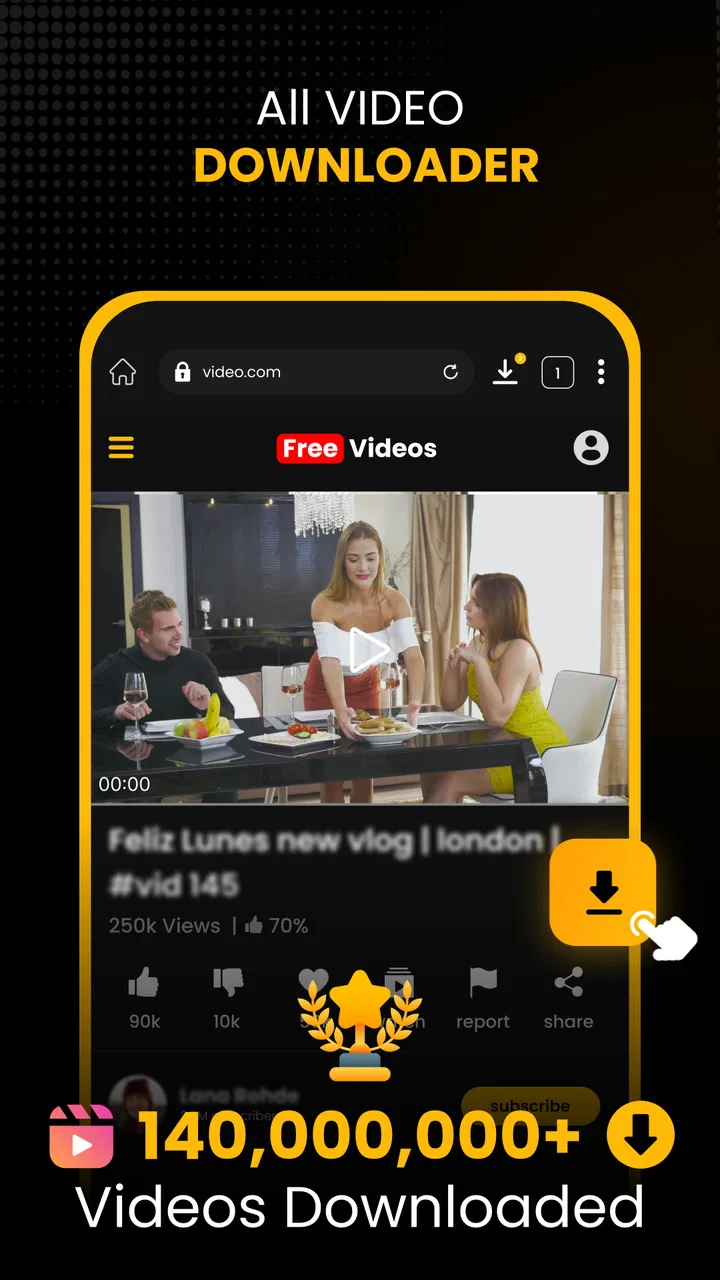
The starting situation is easy to recognize: I am watching something online, I know I will need it again, and I do not want to keep searching for it every time. Download Hub is designed around that moment. Its private browser gives the process a dedicated starting point, while the HD player and secure file manager handle what happens after the download. That combination makes it feel less like a single-purpose downloader and more like a small media workspace.
The key strength is the complete handoff from discovery to playback. Instead of downloading a file through one tool, looking for it in a separate file browser, and opening it with another player, I can keep the main workflow inside one app. That does not make every download effortless, but it reduces the number of places where a file can become difficult to find.
You May Also Like

 Blood Strike: 2.5 Anniversary
Blood Strike’s Loadouts Turn Every Drop Into a Tactical Gamble
A close look at Blood Strike’s custom loadouts: how fast access to signature weapons reshapes its battle royale rhythm, rewards preparation, and narrows the gap between fights.

 Pandora - Music & Podcasts
Pandora’s Music Is Easy to Start, but Harder to Recover
Pandora’s strength is its low-effort path from a seed to a station. Its weak spot is how much confidence it asks you to place in connection, setup, and quiet recovery.

 8 Ball Pool
 Is Built on Rivalries, Rematches, and Routine
A close look at the rivalries, rematches, shared routines, and unanswered safety questions that turn a quick pool match into a persistent mobile community.

 Samsung Music
’s Quiet Strength Is Playing What You Already Own
Its reach comes less from spectacle than from dependable access to a personal library. That simplicity is both the app’s strongest retention engine and its ceiling.

 AccuWeather: Weather Radar
AccuWeather Review: A Quick, Clear Forecast for Everyday Decisions
For everyday plans, the best forecast is the one you can understand quickly. AccuWeather makes rain timing, radar, and local conditions easy to act on, with a few trade-offs.

 Hill Climb Racing
Why Hill Climb Racing Still Turns Crashes Into One More Run
A tiny car, a bumpy hill and one more upgrade: Hill Climb Racing keeps resurfacing because its simple chaos makes every near-miss feel personal.
More From Our News Desk



From finding a video to watching it again
I’ll focus on the handoff after a video is found: what to check before saving it, how to keep the resulting file easy to retrieve, and why a quick playback test can prevent trouble later. That practical sequence matters most when I’m preparing content for a moment without dependable internet, and it leads naturally into the details of choosing a download path.
Starting with the private browser
The first useful step is opening the built-in browser rather than switching between a regular browser and the downloader. I can search for or open the video source there, then move toward saving the content without copying links across several apps. This is especially convenient on a phone, where repeated app switching often means losing the page, closing the wrong tab, or accidentally copying something else.
The private browsing angle is also relevant for people who want a separate space for media searches. I would not treat the word “private” as a substitute for careful online habits, but it does give the workflow a more contained feel. I found that separation helpful when I wanted downloaded material kept apart from my everyday browsing history and bookmarks.
One practical tip is to decide what I want from the video before starting the download. If I only need to watch it once and the original service already offers reliable offline viewing, Download Hub may add an unnecessary step. If I need a file that I can locate and play through the app later, the dedicated workflow makes more sense.
Choosing the download path
Once the video is open, the next stage is moving from viewing to saving. The app’s purpose is clear here: it is built to download videos rather than merely bookmark them. The useful distinction is that the download becomes part of a managed library instead of disappearing into an unorganized folder.
I would still approach this stage with realistic expectations. A downloader cannot make every online source behave the same way. Some pages are simple, while others use layouts or delivery methods that create friction. The experience is best when the source presents a recognizable video that the app can process cleanly. When the page is complicated, the convenience of the all-in-one design can be offset by the need to retry or return to the source.
For everyday use, I recommend downloading while connected to a dependable network and checking the selected quality before committing to a large file. The HD player makes higher-quality viewing attractive, but higher quality also means greater storage use and potentially longer transfers. A smaller file is often the better choice for a short reference clip or a phone with limited free space.
Passing the file to the manager
The handoff after downloading is where Download Hub becomes more interesting than a basic save button. The file manager is intended to give the downloaded video a clear home, and the secure organization helps keep private or personal media from becoming mixed with unrelated phone files. I appreciated this because the real annoyance is often not downloading a video; it is finding it afterward.
A sensible workflow is to treat the manager as the central checkpoint. After a download finishes, I would confirm that the file appears there, play a few seconds, and only then assume the process worked. This quick check catches problems early, such as an incomplete transfer or a file that is present but not immediately usable. It also prevents me from deleting the source link before confirming that the local copy is available.
The manager is particularly useful for someone who keeps several types of video on a phone: lessons, travel clips, reference material, or personal recordings. Rather than relying on the default gallery to sort everything, I can use the app as a focused media area. That is a small change, but it makes repeated retrieval much faster.
Using the HD player at the end
The final handoff is from storage to playback. Download Hub includes an HD player, so I do not need to leave the app simply to check the result. This matters when I am downloading a video for immediate use, because I can verify both the file and the viewing experience in the same place.
I found this especially useful for practical content. For example, imagine I am preparing for a trip and save a walking guide before leaving home. I can open the video in the browser, download it, locate it in the manager, and play it once while I still have a connection. If the file fails or the quality is unsuitable, I can fix the problem before I am away from reliable internet access.
The player also changes how I think about downloads. The goal is not simply to collect files; it is to create a dependable offline viewing step. A file that downloads successfully but is awkward to open has little value. Keeping the player beside the manager makes that final check less likely to be skipped.
What the complete workflow feels like
In the best case, the sequence is direct: open the private browser, locate the video, start the download, confirm the file in the manager, and watch it through the HD player. Each stage has a clear role, and the app avoids making me assemble the workflow from unrelated tools.
That design is more useful than it may sound. On a phone, every handoff can introduce friction. A browser may save a file somewhere unexpected, a file manager may bury it among documents, and a separate player may not recognize the format or remember where the file came from. Download Hub brings those stages closer together, which is its main practical advantage.
There is also a useful distinction between occasional and repeated use. If I download one video every few months, the integrated system may not matter much. If I regularly save videos for commuting, study, travel, or private viewing, the shared browser-manager-player flow becomes easier to justify because it reduces repeated setup.
Who benefits most from this arrangement
I think Download Hub suits people who want control over the path from an online video to a local copy. It is a good fit for users who dislike hunting through the phone’s general storage, want a separate browsing space, or prefer checking downloads with an included player.
It can also work well for someone who is not interested in learning a complicated desktop-style download system. The app focuses on a phone-friendly sequence, and the combination of browser and file manager gives the process a visible beginning and end. That makes it easier to build a habit around saving and reviewing media.
Another strong use case is temporary access during travel or unreliable connectivity. I would download only material I am allowed to save, test it before leaving, and keep the files organized in the app. The benefit is not just offline playback; it is knowing where the content is when I need it.
Where it does not replace other options
Download Hub is not automatically the best choice for every video task. If I need advanced editing, trimming, captions, color correction, or a full production timeline, this is not the kind of tool I would choose. Its value is in acquisition, organization, and playback, not in turning downloaded material into a finished project.
I would also choose a platform’s official offline feature when I need guaranteed access inside that service, synchronized viewing progress, or content handled under the platform’s own rules. A dedicated streaming app may offer a smoother experience for subscribers, while Download Hub is more appealing when I want a locally managed file and a separate media workflow.
Desktop download utilities can still be better for people managing many files at once. A larger screen makes batch organization, renaming, and storage decisions easier. Download Hub is more naturally suited to individual phone-based tasks where convenience matters more than extensive control.
Quality, storage, and the cost of convenience
The HD player is a clear reason to pay attention to quality, but I would not select the highest available option automatically. For a phone screen, a moderate quality level may be perfectly comfortable and will leave more room for other files. For a presentation or detailed instructional video, higher quality can be worth the extra storage.
This is one of the app’s less obvious trade-offs: the easier it becomes to save media, the easier it is to accumulate more than I actually need. I recommend reviewing the manager occasionally and removing duplicate or completed downloads. A focused file area stays useful only if it remains intentional.
The app itself is free to install and use, although in-app purchases range from $6.99 to $59.99 per item. That makes it important to pay attention to any purchase screen and decide whether the free experience already covers the workflow I need. I would not spend money simply because the app combines several tools; I would first use it for a realistic task and see whether the browser-to-player handoff genuinely saves time.
Compatibility and first impressions for new users
Download Hub requires Android 9 or later, so it is aimed at phones running a reasonably modern version of the operating system. Before installing, I would check the Android version on an older spare phone, especially if that device is being kept for travel or secondary media use.
The app is rated for Everyone, which makes its general audience broad, but that does not remove the need for sensible downloading habits. I would still consider the source of each video, respect copyright and service rules, and avoid treating a downloader as permission to copy anything found online.
The app was released on July 12, 2024, and the current version is 7.0.7. Those details are useful when checking that I am installing the intended product and not confusing it with another downloader using a similar name. The developer shown for it is Download hub, so I would verify that name when searching through app results.
How public interest matches the practical experience
Download Hub has a 4.5 average from around thirty-six thousand ratings, with over a million installs. That level of adoption suggests that the basic idea connects with many Android users: a downloader is more convenient when it also handles browsing, storage, and playback.
I would interpret that popularity carefully. A strong average does not guarantee that every source will download smoothly or that every phone will handle large files comfortably. My own view is that the app earns attention because of its workflow design, not because it eliminates every technical limitation associated with online video.
Small habits that make the app more reliable
My first habit would be to test a short or low-priority video before relying on the app for something important. That confirms that the source, download process, manager, and player all behave as expected on my phone. It is a better test than installing the app and assuming that every future download will follow the same path.
Second, I would verify the downloaded file immediately. Opening it for a few seconds is enough to confirm that the handoff succeeded. If I am preparing for a flight, class, or trip, I would perform that check while the original source is still available rather than waiting until I am offline.
Third, I would keep the app’s library purposeful. Naming or organizing files where the manager allows it, removing duplicates, and avoiding unnecessary high-quality copies can make the difference between a useful offline collection and a confusing storage pile. The app’s secure file manager is most valuable when I actively use it as the place to manage that collection.
Finally, I would separate “downloaded for later” from “downloaded to keep.” That simple distinction helps control storage and makes it easier to decide what should be removed after watching. It also prevents the convenience of one-tap saving from becoming a long-term maintenance problem.
My final take on the complete journey
After looking at the whole path from input to outcome, I see Download Hub as a focused solution for people who want more than a raw download button. The private browser starts the task, the downloader moves the video onto the phone, the secure file manager gives it a clear location, and the HD player closes the loop with immediate playback.
That flow is strongest in everyday situations where I need a video available later and do not want to juggle several apps. It is less compelling for advanced editing, large-scale file management, or users who already rely happily on official offline viewing in a streaming service. The app also cannot remove the uncertainty created by complicated source pages, and its optional purchases mean I would evaluate the free experience before paying.
Even with those limits, I would recommend trying it if your main frustration is the gap between finding a video and using it again. The best result is not merely a saved file; it is a file I can locate, verify, and play without repeating the original search. For that specific job, Download Hub offers a practical, phone-friendly workflow and earns its place among the more useful video tools on Android.
FAQs for Download Hub, Video Downloader
01What features does Download Hub, Video Downloader offer?
Download Hub, Video Downloader offers a comprehensive suite of features for seamless media downloading. Users can download videos in various resolutions, pause and resume downloads, and manage files efficiently. It supports multiple video platforms, allowing you to download content directly to your device for offline viewing. The app also includes a built-in browser for easy navigation.
02Is Download Hub, Video Downloader safe to use?
Yes, Download Hub, Video Downloader is designed with user safety in mind. The app does not require unnecessary permissions and ensures that your personal data is protected. However, it is important to download the app from official stores or trusted sources to avoid any security risks or malware.
03Are there any in-app purchases or ads in Download Hub, Video Downloader?
Download Hub, Video Downloader is free to use, but it may contain ads to support the development team. For users seeking an ad-free experience, the app offers in-app purchases that remove advertisements and unlock additional premium features, enhancing the overall user experience.
04Which platforms are supported by Download Hub, Video Downloader?
The app supports a wide range of popular video platforms, enabling users to download content from multiple sources. It is compatible with both Android and iOS devices, providing a versatile solution for users on different operating systems. Always ensure compatibility with the platforms you intend to download from.
05How do I resolve download issues with Download Hub, Video Downloader?
If you encounter any issues while downloading, first check your internet connection and ensure it is stable. Next, verify that the platform you are downloading from is supported and that you have the latest version of the app. If problems persist, try restarting the app or contact customer support for further assistance.
Pros
- Easy to navigate interface.
- Supports multiple video formats.
- Fast download speeds.
- Option to pause and resume downloads.
- No registration required.
Cons
- Contains frequent ads.
- Limited editing features.
- No built-in video player.
- Requires internet connection.
- Some features are paywalled.

Download Hub, Video Downloader
Gallery